
What Is Disposable Email? A Complete Guide for 2026
Everything you need to know about disposable temporary email: what it is, how it works, when to use it, and how it protects your privacy online.
- #guide
- #privacy
- #beginners
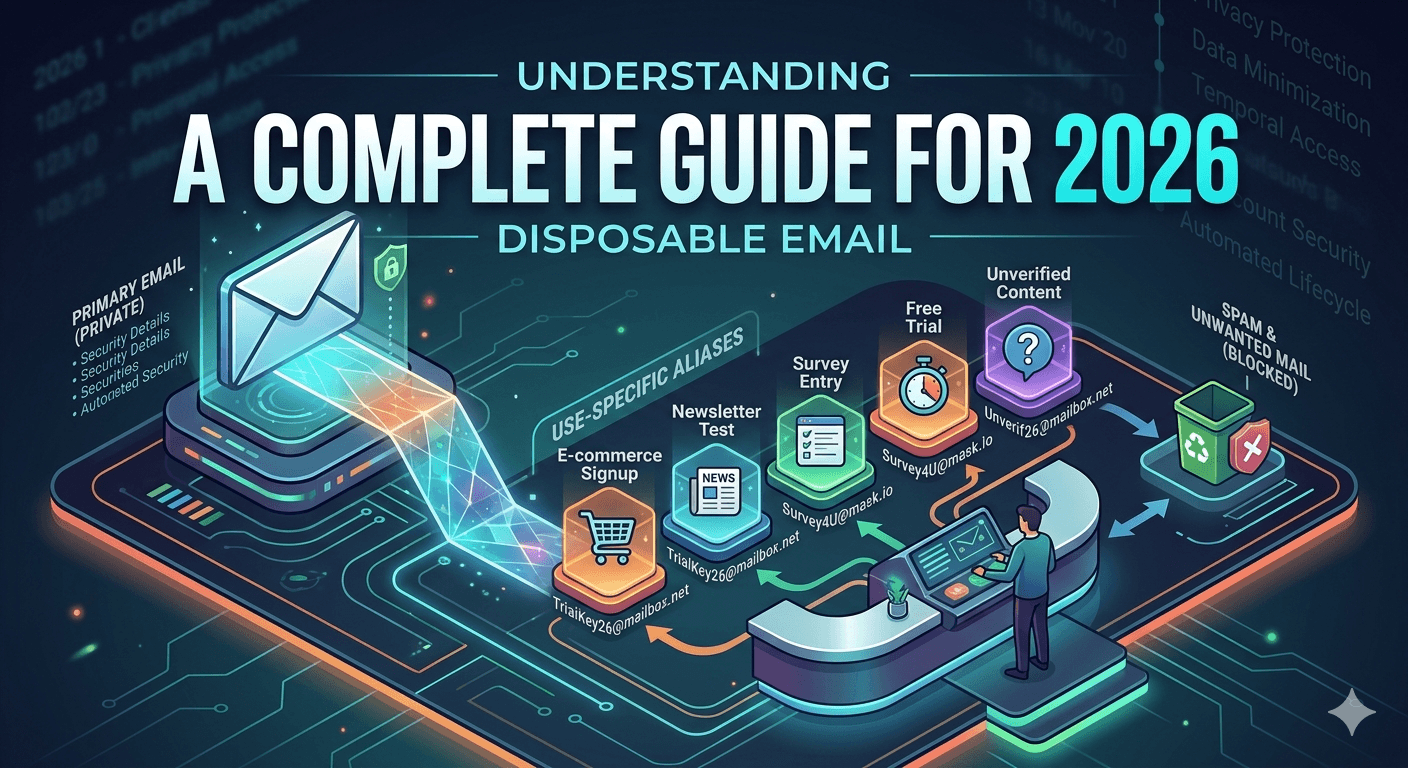
What is a disposable email address?
A disposable email address (also known as temporary email, temp mail, throwaway email, or burner email) is a short-lived email inbox you create instantly without providing any personal information. It works like a regular email address — you can receive messages, read them, and click links — but it automatically expires after a set period.
Unlike traditional email providers like Gmail, Outlook, or Yahoo, disposable email services do not require registration, passwords, or phone verification. You open the service, get an address, use it, and walk away. The inbox self-destructs, taking all messages with it.
How does temporary email work?
Temporary email services generate a unique email address for each visitor. When someone sends a message to that address, the service receives it and displays it in your browser in real time. Most services use WebSocket connections so new mail appears instantly without refreshing the page.
The inbox exists only for a limited window — anywhere from 10 minutes to a few hours depending on the service. After expiry, the address stops receiving mail and all stored messages are permanently deleted. There is no recovery, no archive, and no way to extend the inbox once it is gone.
Why do people use disposable email?
The primary reasons are privacy protection and spam prevention. Every time you give your real email to a website, you risk receiving unwanted marketing emails, having your address sold to third parties, or becoming a target in a data breach.
- Privacy: keep your real email hidden from websites you do not trust.
- Spam prevention: avoid marketing emails, newsletters, and promotional offers you did not ask for.
- Security: protect yourself from phishing, data breaches, and identity theft.
- Testing: developers and QA teams use temp email to test signup flows, email templates, and verification systems.
- Convenience: no account creation, no password to remember, no commitment.
- Free trials: evaluate software without giving your work or personal email.
Disposable email vs email aliases vs plus addressing
Email aliases (like iCloud Hide My Email or Firefox Relay) forward messages to your real inbox. They provide some privacy but your main email still receives the messages. Plus addressing ([email protected]) adds a label but does not hide your identity — the recipient can remove the plus tag.
Disposable email is fully separate from your real email. No forwarding, no connection, no trace. This makes it the strongest option for one-time use cases where you want zero linkage to your personal or work email.
Is disposable email legal?
Yes. Using a temporary email address is legal in virtually every jurisdiction. You are not impersonating anyone or committing fraud — you are simply choosing not to share your personal email. Many privacy advocates recommend disposable email as a best practice for protecting personal data online.
However, some services may block known disposable email domains in their signup forms. This is the service provider's choice, not a legal issue. If a website rejects a disposable address, it is their policy, not a law.
When should you NOT use disposable email?
Temporary email is not suitable for accounts you need long-term access to. Do not use it for banking, government services, important subscriptions, or any account where you might need to reset your password later. Once the disposable inbox expires, you lose access to any recovery emails sent to that address.
How to get started with tempboxs
Visit tempboxs.com and your temporary email address is created automatically. Copy it, paste it wherever you need it, and watch messages arrive in real time. When you are done, delete the inbox or let it expire. No signup, no personal data, no strings attached.